Loop
Built for iOS 27 · Apple Intelligence

Say it once.
Loop builds the plan, or a habit.

Describe what you want to achieve, in your own words. Built for iOS 27, Loop uses Apple Intelligence on device to understand it and set up the habits, the schedule and the milestones. No forms. No setup wizard. No forty taps before you start.

Download on theApp Store
Free to startNo account neededRuns on device
9:41
Goals
Create a habit or build a plan
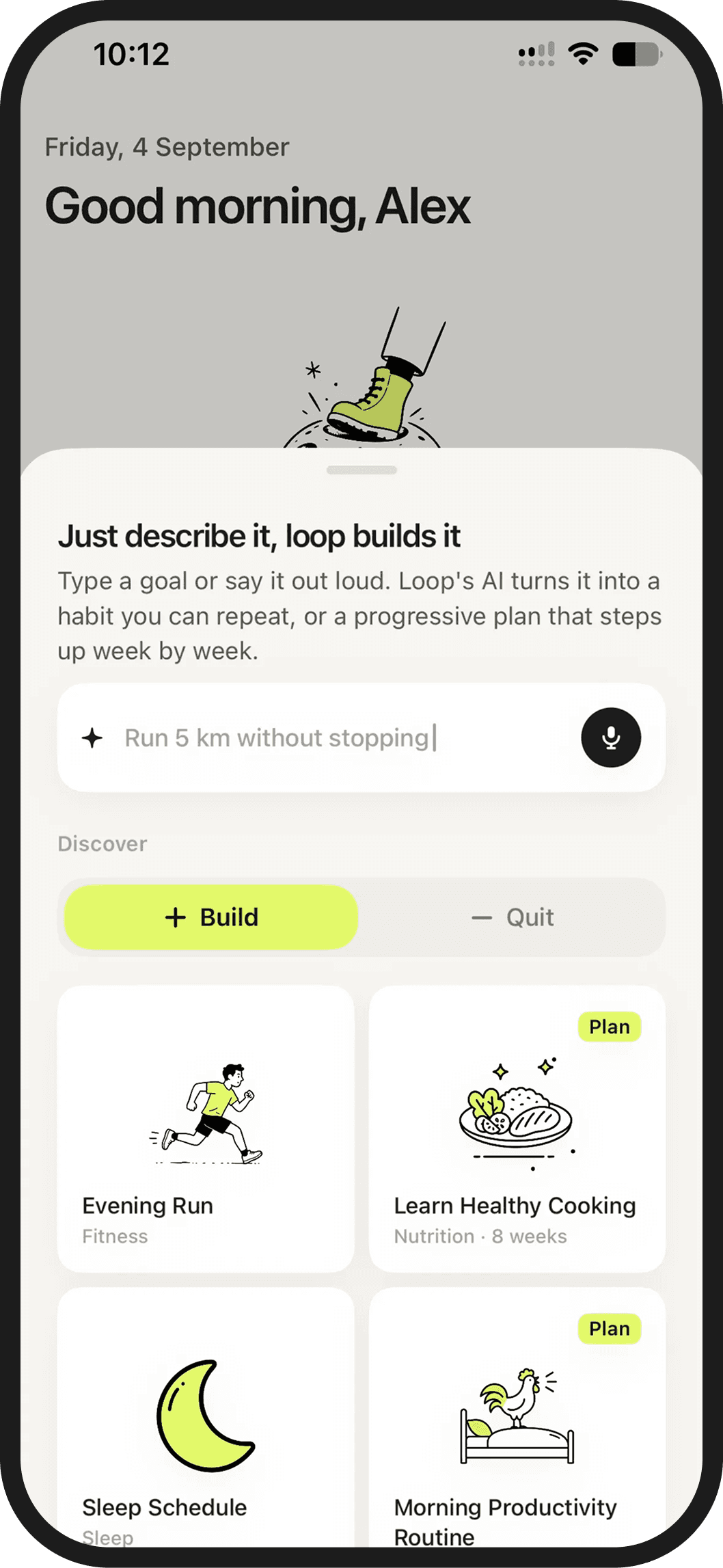
Just describe it, loop builds it

Type a goal or say it out loud. Loop's AI turns it into a habit you can repeat, or a progressive plan that steps up week by week.

?What should I write?
Build a habit or a plan…Run a half marathon by October
Create a habit manually
Discover
BuildQuit
PlanRun a half…
Read daily
My LoopGoalsFocusStatsProfile
9:41
New plan
Run a Half-Marathon
Dates
StartsToday
Duration12 weeks
This plan will end on 19 Oct.
Category
Fitness
Goal
Finish 21.1 km under 2h
Notes
How many km do you run now? How many runs per week?
Generate plan
9:41
Thinking about
your plan…

Loop is turning your description into a structured plan — just a moment.

9:41
New plan
Run a Half-Marathon
On the free plan you have access to this plan for two weeks.Upgrade to keep it after that.
Milestones · preview
1
Build your base· wk 1–3
Easy Run · 3 km · 3×/wk
Strength · 2×/wk
Add habit
2
Build your 10k· wk 4–7
Long Run · 10 km · weekly
Add habit
3
Race pace· wk 8–12
Tempo Run · 8 km · weekly
Create plan
9:41
Tuesday, June 17
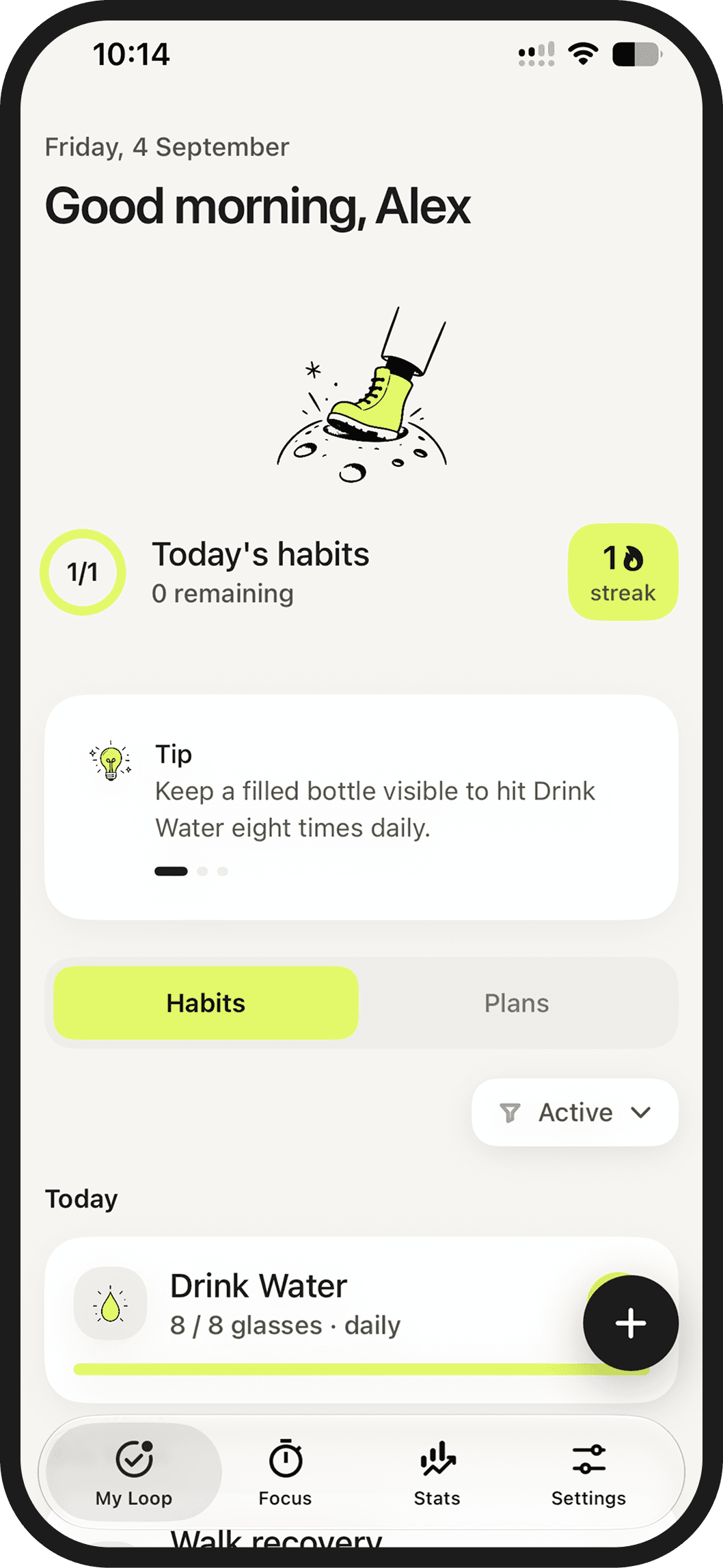
Good morning, Alex
3/4Today's habits1 remaining11streak
TipTo keep up your Meditate habit, do it first thing — it sets a calm tone for the day.
HabitsPlans
Today
Meditate2 / 1 session · daily
Easy RunPlan3 km · 3×/wk
My LoopGoalsFocusStatsProfile
How it works

A sentence in. A system out.

Most habit apps make you do the thinking: pick a category, set a frequency, choose a reminder, name a unit. Loop does that part for you.

Describe it and we'll fill this in…
01Say what you want

Type it or say it out loud. "Sleep before midnight." "Stop scrolling at dinner." "Half marathon by October." Plain words are enough.

02Loop works it out

Apple Intelligence reads the intent and drafts the habits, the cadence and the milestones. Adjust anything with a tap. Or don't.

03Keep the loop going, one step at a time.

Swipe to complete. Loop keeps the streak, moves things when life happens, and stays quiet the rest of the time.

Features

Everything you need. Nothing you have to configure.

No forms. Just the sentence.

One field replaces the whole setup flow. Loop picks the type, the frequency, the target and the reminders, and shows you the result before anything is saved.

"Read 20 books this year""Quit smoking by summer""Run 10k"
Run a half marathon by October
understood as
Active plan
FitnessDay 23
Run a Half-Marathon
Milestone 2 of 438% done
Easy runLong run Sunday
Built for iOS 27 and Apple Intelligence

Loop is written for the iOS 27 frameworks from the first line, so the understanding runs on your iPhone. Your goals are not a prompt sent to somebody else's server.

Vacation mode

Going away? Pause everything for a week. Streaks hold, nothing counts as missed, and Loop picks up where you left off.

Vacation modePause streaks & reminders while you're away
Focus mode

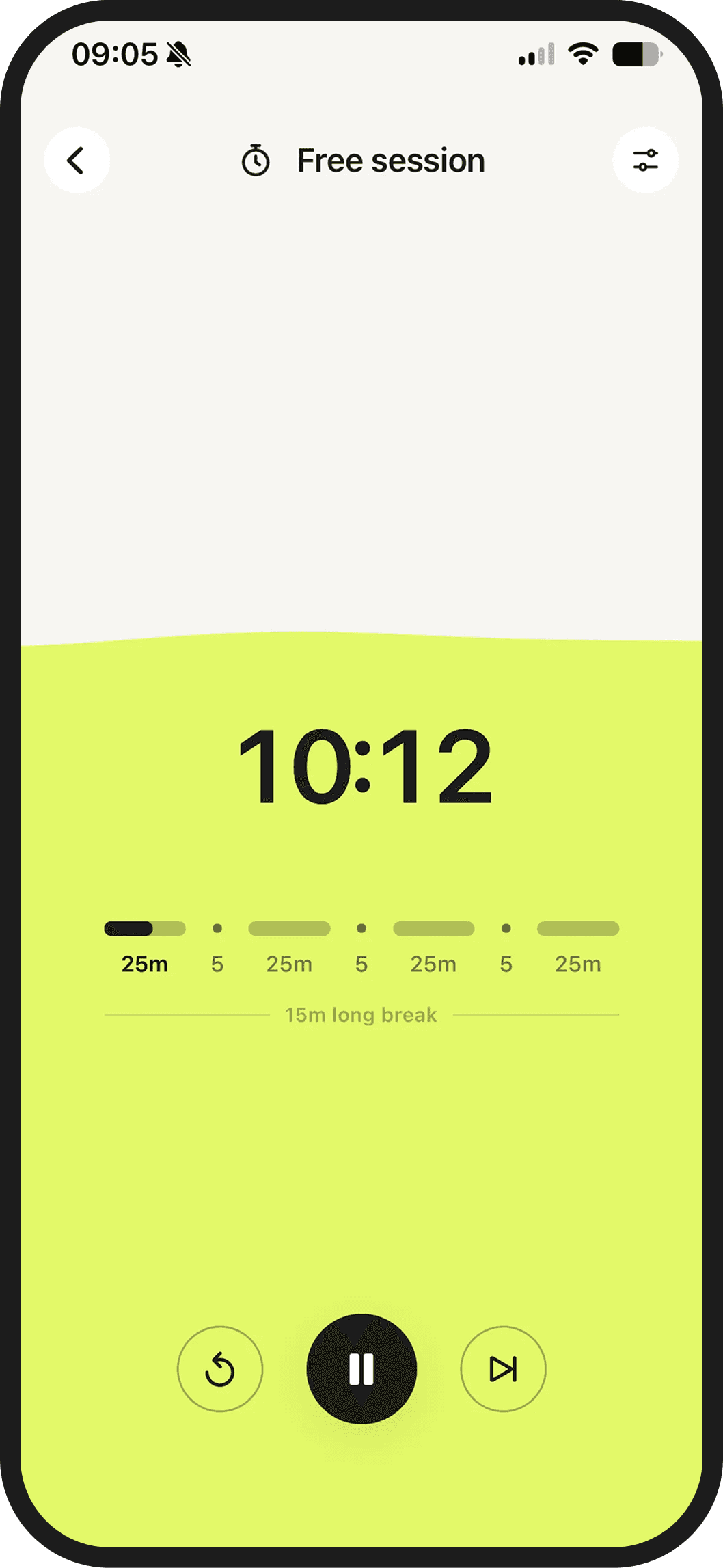
Some habits need a block of time, not a checkbox. Start a session from any habit and Loop runs the timer, holds your notifications and logs it when it ends.

Block done50 minutes on Read
block 2 of 4
Build them. Or break them.

Habits you want to keep and habits you want gone live side by side — one counts sessions, the other counts days avoided.

Meditate2 / 1 session · daily
Quit SmokingQuitAvoid · dailyQuit Smoking · M131
Privacy

It figures out your plan without figuring out you.

Loop asks for the most personal thing there is — what you're trying to change about your life. So the understanding runs on your iPhone, with Apple Intelligence, and the record of it stays there too.

On device by default

Turning your sentence into a plan happens locally. No goal text is uploaded, logged or used to train anything.

Nothing to sell

No ads, no trackers, no data brokers. Loop is paid for by the people who use it, which keeps the incentives simple.

Yours to take or delete

Sync through your own iCloud account, export everything as a file, and delete it all in one tap.

FAQ

Questions,
answered plainly.

Still stuck? Write to hello@downloadloop.app and a human replies.

Do I have to set anything up?

No. You write one sentence and Loop drafts the rest — whether it's a habit or a plan, how often it happens, what counts as done, when it reminds you. You look it over and tap save. Everything stays editable afterwards.

What does Apple Intelligence actually do?

It turns your words into structure: build or quit, how often, what the target is, and for bigger goals a sequence of milestones with a realistic pace. It also writes the short evening digest and suggests adjustments when a habit keeps slipping.

Do I need iOS 27?

Loop is built for iOS 27, and the on-device understanding needs an iPhone that supports Apple Intelligence. On older devices you can still create habits and plans manually — you just fill in the fields yourself.

Does what I write leave my phone?

No. Your goal text is processed on device. Your habits, streaks and notes live on your iPhone and sync through your own iCloud account if you switch sync on. Loop has no servers holding your data, and nothing you write is used to train a model.

Can I quit habits, not just build them?

Yes. Quit habits count days avoided instead of sessions. If you slip, you swipe to log it and the count restarts without a lecture — Loop keeps the history so you can see the trend rather than one bad Tuesday.

What happens when I go away?

Turn on vacation mode and pick the dates. Reminders stop, nothing counts as missed, streaks hold, and plans shift their schedule to match. When you're back, Loop picks up where you left off.

What's free and what's paid?

Loop is free to use with three habits. Loop Pro unlocks unlimited habits, AI plans, full stats and streak protection, as one subscription through the App Store. No ads either way.

Do I have to open the app every day?

Not really. The Home Screen widget shows today's loop and the Lock Screen ring completes with a tap. Most days that's the whole interaction.